
Knox County Court Calendars Explained
Knox County has no single hearing calendar. A court date may surface in the case record itself, on the Municipal Court's separate schedule-query screen, through a court coordinator or clerk, or in a notice from the specific court. Three electronic paths exist: Common Pleas CourtView, Mount Vernon Municipal Court Authority Web Connect, and Probate CaseLook. Each one does a different job.
Municipal Court offers both a case lookup and a schedule query for Traffic/Criminal and Civil matters. Common Pleas gives the public CourtView case information, though the search entrance requires a CAPTCHA and the court posts no standalone daily calendar. Probate CaseLook warns of at least a 24-hour posting delay. So treat any result as a lead. For a time that affects an appearance, the court that owns the case is the best source.
Knox County Court Date Systems
Match the request to the case type. Adult traffic and misdemeanor matters go through Mount Vernon Municipal Court's countywide system. Felonies and major civil cases belong to Common Pleas. Probate and juvenile matters sit in their own Court. A ticket written in Fredericktown, Danville, Gambier, Centerburg, or Mount Vernon still uses the same countywide Municipal Court for an adult traffic or misdemeanor schedule.
| Case owner | Date channel | Confirmation fallback |
|---|---|---|
| Mount Vernon Municipal Court | Authority Web Connect TR/CR or Civil Schedule Query | Municipal Court, 740-393-9510 |
| Common Pleas | CourtView case information after CAPTCHA | Common Pleas Court, 740-393-6777 |
| Probate/Juvenile | Probate CaseLook, subject to posting delay | Probate/Juvenile Court, 740-393-6798 |
For Common Pleas records, the Clerk of Courts at 740-393-6788 remains the fallback. A call to the clerk or court beats assuming any schedule tool covers every division.
Finding Your Court Date
Start with the case type and identifying details. Use the citation for a traffic matter. Use a case number when one exists. Or use the exact name format the Municipal portal demands. An event-calendar notice is never proof of a specific case setting. Court staff can explain the local channel. They cannot change a scheduled matter through a general public webpage.
- Identify the court: Municipal for adult traffic, adult misdemeanors, and its limited civil docket; Common Pleas for felonies and major civil matters; Probate/Juvenile for its own cases.
- Use Authority Web Connect's separate schedule query for a Municipal case, or CourtView case information for Common Pleas after its CAPTCHA.
- For Probate CaseLook, allow for its stated posting lag and use the Court's request or visit option when verified information is needed.
- Call the owning court when a date is missing, close in time, or unclear; Common Pleas also provides remote public-viewing information through 740-393-6777, option 3.
The Municipal schedule search and direct court confirmation are the documented channels. Common Pleas records have another fallback. The Clerk counter sits at 117 East High Street, Suite 201. Probate CaseLook itself tells anyone needing verified information to send a request or visit. The county offers no daily printed docket, lobby-terminal list, or universal text reminder service. Do not count on one.
Knox County Schedule Query Tools
Authority Web Connect keeps Case Lookup and Case Schedule Query clearly apart. The Traffic/Criminal side has a schedule menu. It offers Daily, Arraignment, Attorney, and Agency Case Schedule Query. The Civil side offers Daily Case Schedule Query. Use the lookup to find case information and the query for scheduled events. That split prevents a common mistake: seeing the case but not its date.
| TR/CR Daily Query control | What the research confirms |
|---|---|
| Start Date and End Date | Calendar-picker fields using MM/DD/YYYY; without dates, the tool says it uses today's date. |
| Select Judge | Single, All, or Range modes, with All as the displayed default. |
| Judge list | Displayed options include all judges and named entries, some of which may be historical, visiting, or acting assignments. |
| Submit Query | Runs the selected schedule search. |
Nothing here pins down the exact columns, redactions, or setting details you will see. Narrow your date with the query controls first. If the time of day matters, contact Municipal Court directly.
How to Read a Court Setting
A setting is an assigned court event, not a promise the case ends that day. It may list a date, time, court or judge, and event type. Portals differ in what they show. So treat the fields as what a setting normally includes rather than a guarantee. Before acting, compare a newer entry against any earlier notice.
| Date | The calendar day assigned to the court event. |
|---|---|
| Time | The scheduled time; a citation's printed arraignment time is the initial Municipal traffic deadline. |
| Court or judge | The decision-maker or court context used by the schedule tool; judge lists require court confirmation for a current assignment. |
| Setting type | An event such as arraignment, preliminary hearing, pretrial, hearing, or trial. |
| Current status | The most recent confirmed setting, not a conclusion based on an old screenshot or calendar notice. |
For juvenile traffic, the Court hears most matters Monday at 9 a.m. once a ticket is received and an arraignment is scheduled. The youth and custodial parent get notice by mail. That standing session never replaces the individual notice.
Knox County Citation Deadline
On an adult Municipal Court traffic citation, the arraignment date and time printed on the ticket is the first deadline. The Criminal and Traffic Division says payment is due by that date and time. Need a continuance? It must be handled before the scheduled setting. The safe local sequence is simple. Start with the citation, then the TR/CR case lookup, then the TR/CR schedule query, then a call to Municipal Court before court.
Time-sensitive point: A citation's printed arraignment time is the starting deadline. Request a continuance before that time, not after it has passed.
Municipal Court lists 740-393-9510 and weekday hours of 8 a.m. to 4 p.m. The general event calendar offers List, Week, Month, date, search-term, past-event, and Main Calendar controls. It works for public notices and holidays. It is not an individual case schedule query.
Continuances, Resets, and Cancellations
Court dates move. In Knox County, trust only the newest setting the owning court displays or confirms. Then look for a continuance order or notation trailing the older date on the docket. Municipal Court requires a continuance request before the scheduled time. Common Pleas has a weather-related continuance process. The Juvenile local rules include a case-management and continuances rule. Common Pleas also closes when county offices close. That happens for a Level 3 snow emergency or by Commissioners' order.
Its page sends represented people to their attorney for a continuance. It tells unrepresented people to contact the Court directly. The public portal shows no reset, passed, or continued label. So never read status out of a stale calendar image. Note: A later confirmed court setting controls over an earlier entry. That holds even if a public calendar or portal still shows the older date.
Knox County Remote Date Confirmation
Common Pleas offers remote public viewing and points callers to 740-393-6777, option 3. That channel serves this court's public viewing. It does not mean every Common Pleas case sits in a fully open statewide portal. CourtView remains the Clerk's public-records and e-filing entry. The Clerk posts no separate daily General Division schedule page there.
When a Common Pleas date stays unclear, call the Court at 740-393-6777. Weekday public hours run 8 a.m. to 4 p.m. The Clerk at 740-393-6788 handles the records side. But the Court or assignment contact is the right path for a setting. If timing feels uncertain, call before relying on a portal screen.
That split between date confirmation and record access matters. A case search may be only a first step. The connected Knox County case lookup helps route a known case to its court. The owning court then confirms its schedule.
If You Miss a Court Setting
Act fast and go to the court that owns the case. Miss a Municipal traffic or criminal setting? Contact Municipal Court and follow whatever instruction the court gives for the case. Failure to appear just means not attending as required. Traffic matters can bring added fees, a license suspension, or a warrant. A public portal cannot state the current response in a particular case. Only the court can.
Missed a setting? Contact the responsible Knox County court immediately; a public schedule view does not resolve a missed appearance.
For an adult Municipal citation, do not wait for the event calendar to change. Call 740-393-9510 and ask how to address the missed date.
For Common Pleas, contact the Court. Probate or Juvenile matter? Contact that Court. A party with counsel should also call counsel about the missed setting. No result screen can establish whether a current warrant, continuance, or new date exists.
Knox County Probate CaseLook Lag
Probate CaseLook carries its own acceptance screen and a plain warning. Filing or judicial action posts at least 24 hours after it happens. Sometimes it takes longer. So a missing or stale Probate search result settles nothing about a date. The Court directs anyone needing verified information to send a request. They can also visit during regular business hours. The official Mount Vernon Municipal Court calendar shows the public calendar itself.
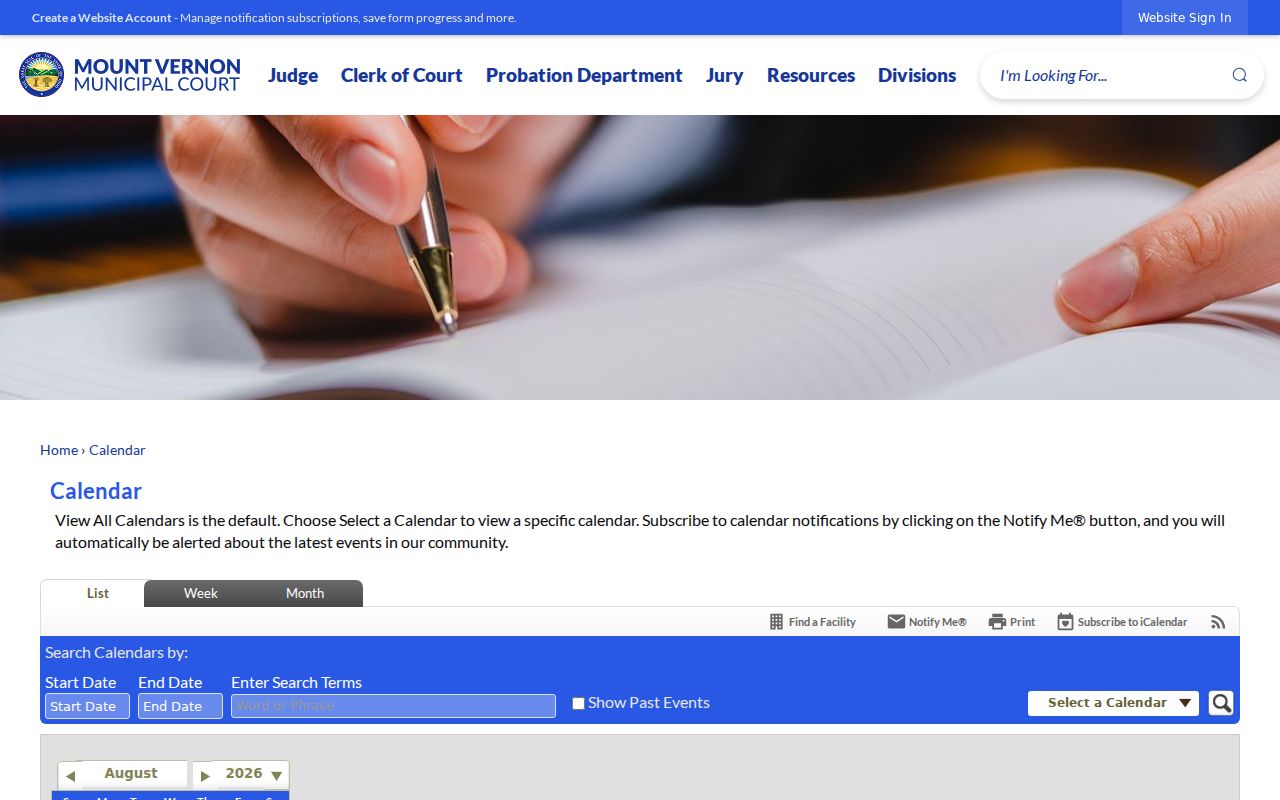
Its calendar filters help locate public events. But an individual Municipal Court setting belongs in the Authority Web Connect schedule-query path or a court confirmation. The Knox Juvenile traffic page states the juvenile court-date details.
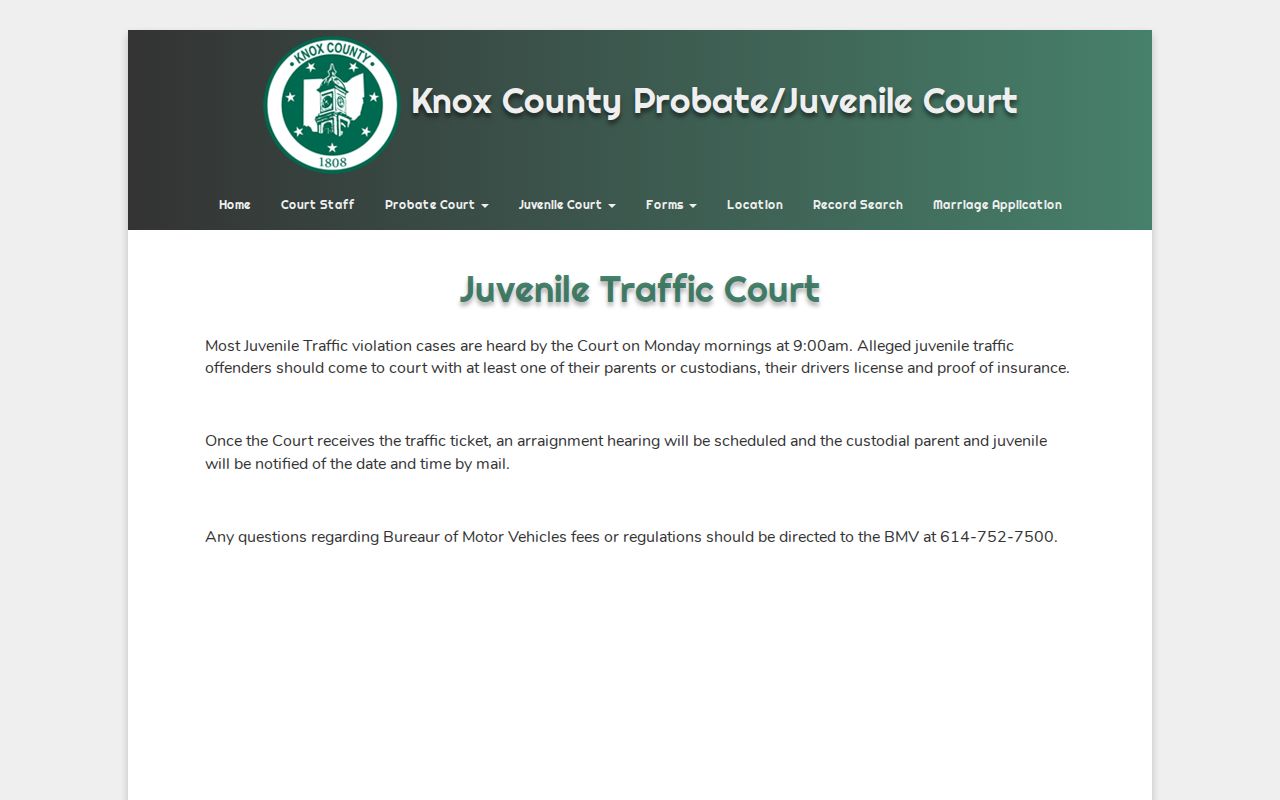
Juvenile traffic holds a Monday 9 a.m. session on the system schedule. For a particular matter, the mailed arraignment notice and the owning court remain the controlling sources.